
🎓 Check Out My Top 25 Udemy Courses (80-90% Discount): My Udemy Courses - Ramesh Fadatare
🧾 Introduction
Every Java developer writes .java files.
✅ But what actually happens when you compile and run your Java programs?
- How does source code turn into something the computer can execute?
- What exactly happens behind the scenes inside the JVM?
In this guide, you’ll learn:
- How Java compilation works step-by-step
- How Java runs programs internally
- What makes Java “Write Once, Run Anywhere” possible
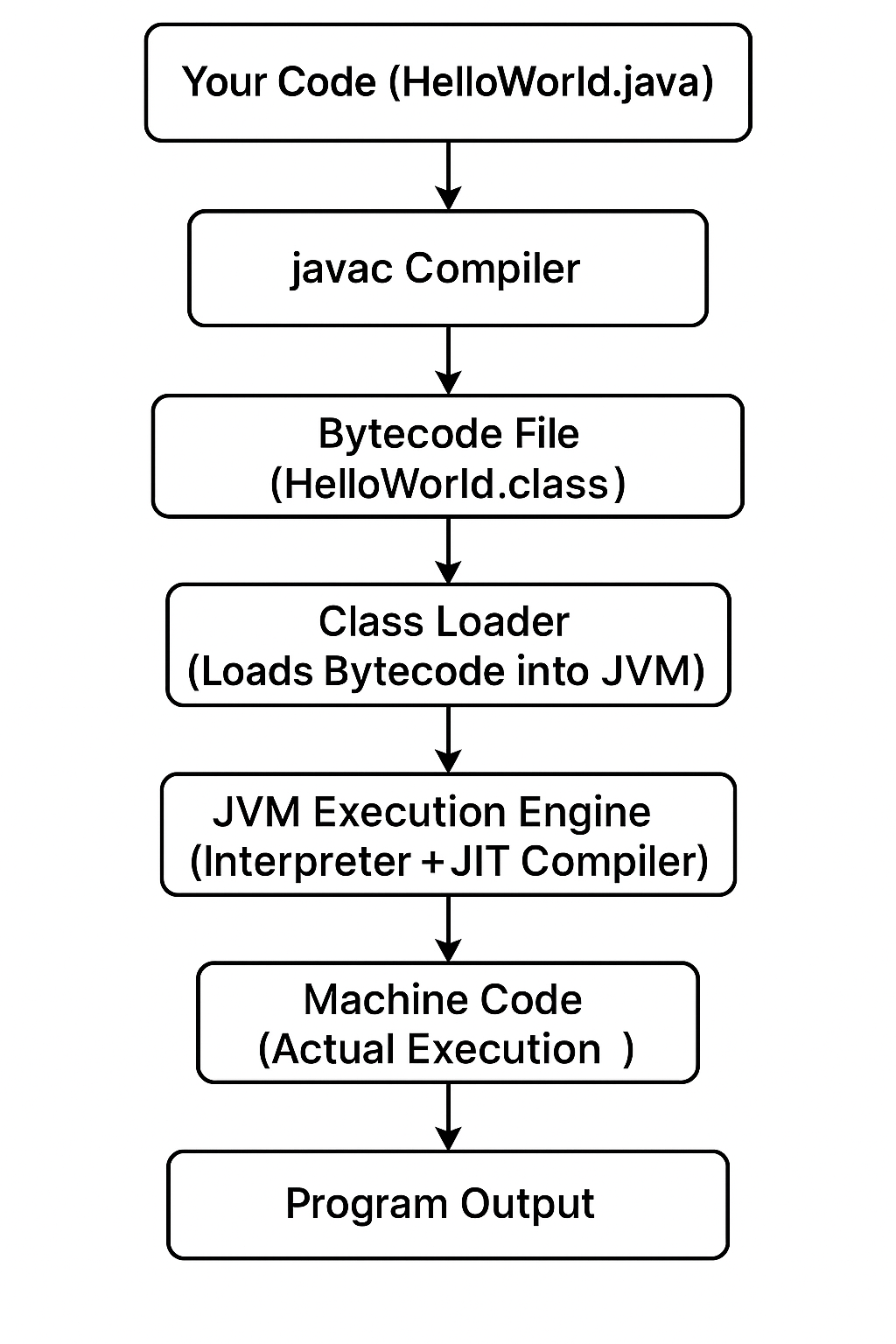
Let’s dive deep into the Java execution process 🚀.
✅ Step 1: Writing the Source Code (.java file)
Everything starts when you write your Java program, usually in a .java file.
✅ Example: HelloWorld.java
public class HelloWorld {
    public static void main(String[] args) {
        System.out.println("Hello, Java World!");
    }
}
✅ This is pure source code — just plain text that humans can read and edit.
But computers don’t understand .java source files directly!
✅ Step 2: Compilation (javac Compiler)
Next, you compile the source code using the javac tool.
javac HelloWorld.java✅ What happens:
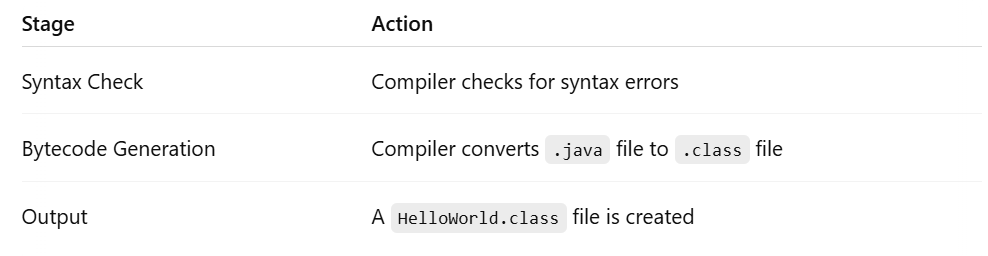
What is Bytecode?
✅ Bytecode is not machine code and not source code.
✅ It’s an intermediate, platform-independent code.
Fun Fact:
The .class bytecode can run on any machine (Windows, Mac, Linux) that has a JVM installed.
✅ That’s why Java is famous for:
“Write Once, Run Anywhere.”
✅ Step 3: Class Loader (Inside JVM)
Now, when you run the program:
java HelloWorld✅ The Java Virtual Machine (JVM) starts working.
First, the Class Loader:
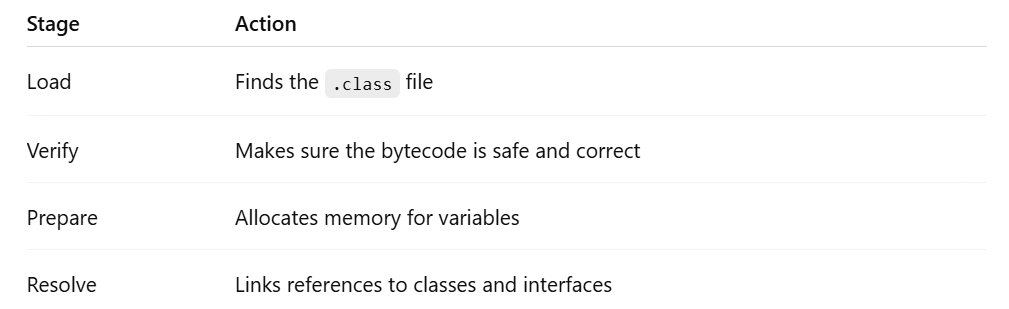
✅ The Class Loader brings the bytecode into memory.
✅ Step 4: Bytecode Execution (JVM Execution Engine)
Once loaded, the Execution Engine of the JVM executes the bytecode.
✅ It does two important things:
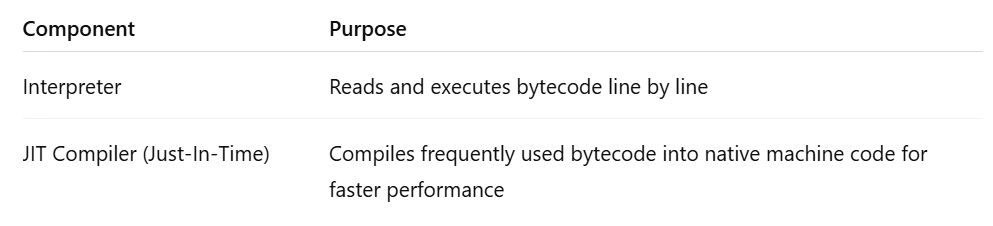
✅ So first, Java interprets line-by-line.
✅ Then over time, frequently used parts are optimized by JIT and executed faster.
✅ Step 5: Output
✅ Finally, your Java program’s result appears:
Hello, Java World!🏗️ Full Behind-the-Scenes Flowchart
✅ This flow happens every time you run a Java program!
🔥 Extra: Important JVM Components
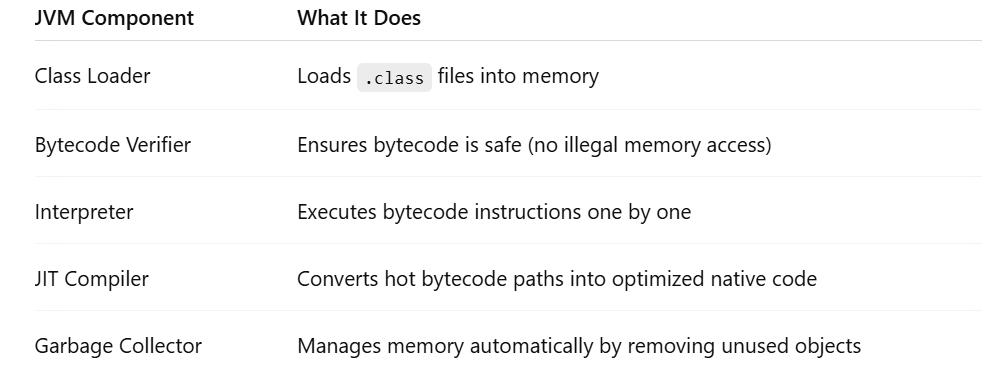
✅ All these make Java safe, efficient, and platform-independent.
✅ Final Thoughts
Most developers run Java code daily —
✅ but understanding what happens under the hood makes you a better engineer.
You now know:
✅ How the javac compiler works
✅ How the JVM class loader operates
✅ How the Execution Engine interprets and optimizes your bytecode
Good developers write Java programs.
Great developers understand how Java programs run behind the scenes.
Now you truly know how your Java code comes to life 🚀.
Comments
Post a Comment
Leave Comment